Google Ads Conversion Tracking

Stop Wasting Ad Spend on Untracked Conversions & Blind Bidding

Feed Smart Bidding exact, high-value conversion signals. Bulletproof Google Ads tracking with Enhanced Conversions and offline sales sync.
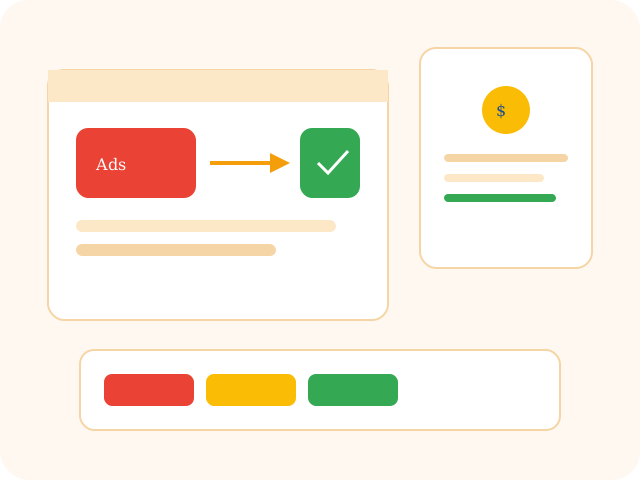
Google Ads conversion tracking from click to confirmed sale
Official Google PartnersAds work is done by people who live in the account, not a theme plugin.
Enhanced Conversions CertifiedHashed first-party matching is part of the default setup.
Zero-Ad-Downtime GuaranteeTags are tested in preview. Live campaigns are not paused for a snippet swap.
Budget at risk

Broken Tracking Burns Your Ad Budget

Smart Bidding is only as honest as the conversion it is fed. Missing, duplicated, or delayed signals make the algorithm expensive.

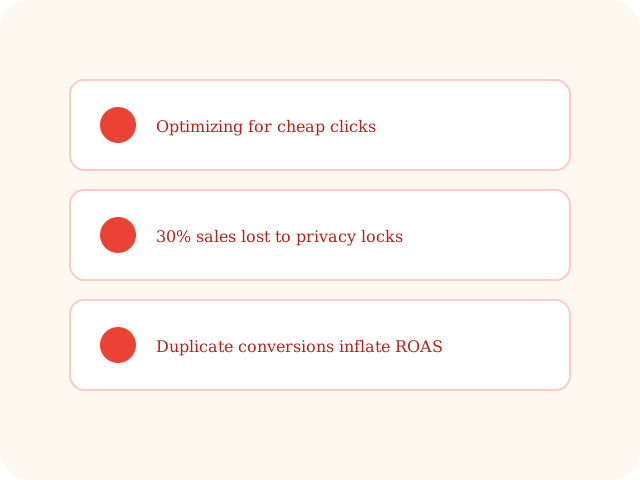
Ad budget wasted by broken Google Ads conversion tracking
01

Algorithmic mismatch

If Ads cannot see who bought, Smart Bidding trains on cheap clicks instead of buyers.

02

iOS and browser signal loss

Third-party pixels miss a large share of sales. Enhanced Conversions and first-party tags recover that match.

03

Over-reporting and duplicates

One order firing twice inflates ROAS. Deduped transaction IDs keep the bid strategy honest.

What we implement

Precision Tracking Designed to Maximize ROAS

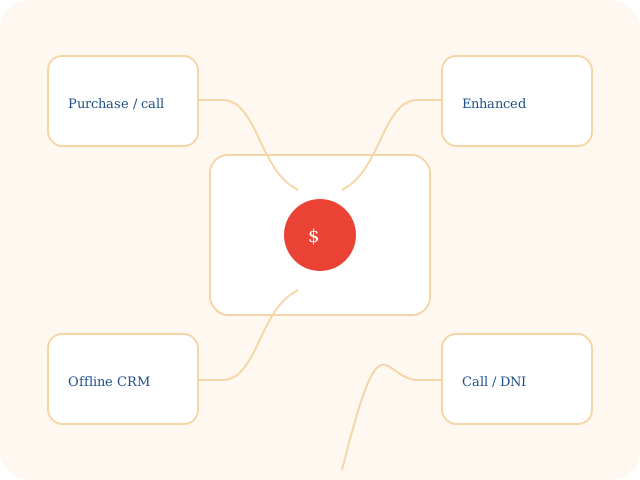
Native Ads tags, Enhanced Conversions, remarketing parameters, CRM import, and call attribution — in that order of honesty.

Google Ads conversion actions and Enhanced Conversions setup
01

Google Ads conversion actions

Clean purchase, call, form, and booking actions — primary vs secondary set correctly.

02

Enhanced Conversions

Hashed first-party matching so sales lost to privacy controls still train the account.

03

Dynamic remarketing parameters

Product IDs, categories, and cart value passed back so remarketing is not a generic list.

04

Offline conversion import

HubSpot or Salesforce closed-won synced so bids optimize for deals, not just leads.

05

Call tracking and form attribution

Call assets plus DNI so a phone sale can be tied to the keyword that started it.

Process

How We Build Your Tracking Infrastructure

Audit the logic, deploy in GTM, prove a test order, then wire the bid strategy.

Google Ads tracking implementation and testing process
  1. 01

    Conversion logic and tag audit

    We map the sales actions worth bidding on and what currently fires (or double-fires).

  2. 02

    GTM and server-side deploy

    Conversion tags, triggers, and Enhanced Conversion variables — not a snippet in the theme footer.

  3. 03

    Tag Assistant and test orders

    Live test purchases to prove value, currency, and transaction-ID dedupe.

  4. 04

    Bidding integration

    Conversion values, primary/secondary priority, and target ROAS rules in the Ads account.

FAQ

Frequently Asked Questions

What are Enhanced Conversions and why do I need them?

They send hashed first-party data (email, phone) so Google can match sales that browser privacy would otherwise drop. That recovered signal is what Smart Bidding actually trains on.

Should I track conversions through GA4 imports or native Google Ads tags?

Native Ads tags with Enhanced Conversions fire with less delay and feed bid strategies more cleanly. GA4 import is a backup, not the primary action we optimize against.

Can you track phone calls generated from ad clicks?

Yes. Call assets in the account plus website call-forwarding / DNI so a keyword click can be tied to a phone sale, not only a form.

Scale Your Campaigns with Confident Data

Setup Google Ads Conversion Tracking Now

Eliminate tracking gaps

Feed Google Ads the signal strength it needs. Account ID, the live site, and which conversions you do not trust.

  • Ads account. We work in conversion actions, not a generic GA4 import as the only source.
  • What counts as a sale. Purchase, call, form, or closed-won in the CRM.
  • Not media buying. This page is tracking infrastructure. Campaign strategy is a different quote.